1My page
Safety settings live in "My page"
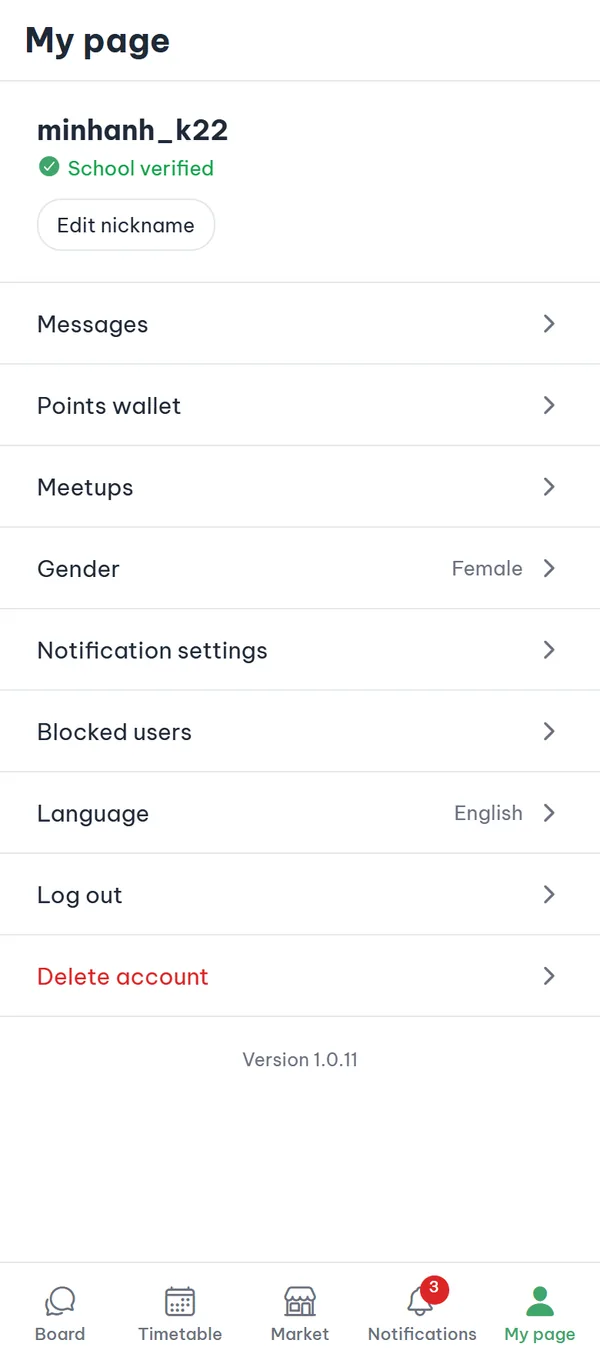
Tap the rightmost tab in the bottom bar to open "My page". At the top is your profile card with your nickname and a "School verified" badge — if you haven't verified yet it reads "Trial mode" with a "Verify school" button. Below it is the menu list: "Messages", "Points wallet", "Meetups", "Gender", "Notification settings", "Blocked users", "Language", "Log out", and "Delete account" in red at the very bottom.
- Profile card The card shows only your nickname and your verification badge, never your real name.
- "Blocked users" This is the only place to review and undo the blocks you've made.
- Not logged in If you're not logged in, you see a log-in prompt instead of the profile and the menu.
- Version number The app version sits at the end of the list; include it when you report a problem.
2Post menu
Open the post and tap ⋮ at the top right
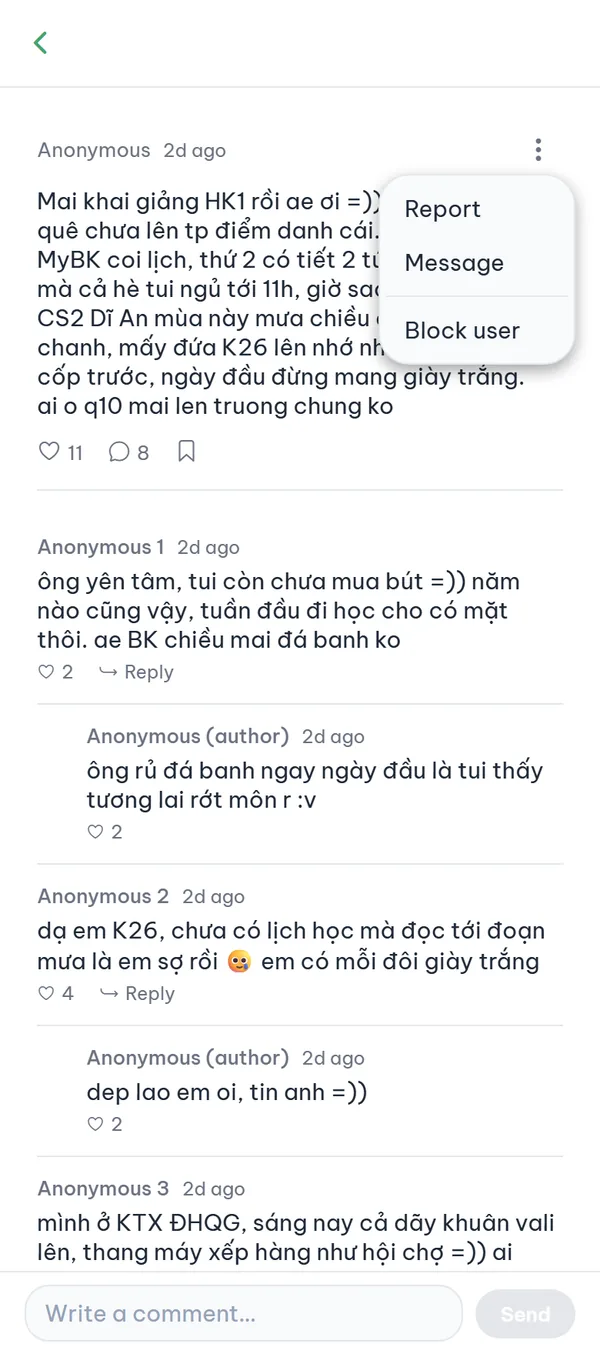
On someone else's post the ⋮ menu shows three items: "Report", "Message", and "Block user". On your own post there is only "Delete post". Other areas have their own entry points: market item and meetup detail pages carry a red "Report" in the header bar, and a course review card has its own ⋮ menu.
- Someone else's post The menu carries "Report", "Message", and "Block user".
- Your own post Only "Delete post" appears; you can't report or block yourself.
- Market and meetups On another person's item or meetup page, the red "Report" sits at the right of the header bar.
- Course reviews Tapping ⋮ on someone else's review card reveals a "Report" action under the card.
3Report
Pick a reason, then submit
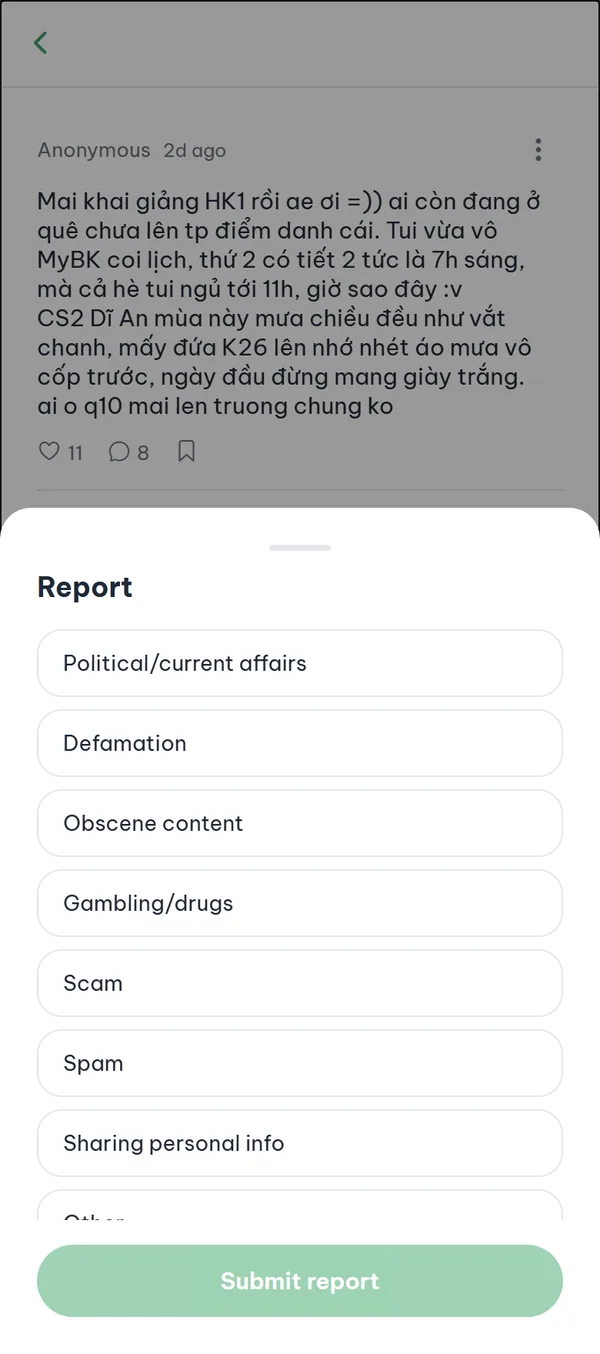
Choose "Report" and a sheet slides up with 8 reasons: "Political/current affairs", "Defamation", "Obscene content", "Gambling/drugs", "Scam", "Spam", "Sharing personal info", and "Other" (the list scrolls). Pick one and tap "Submit report". The team reviews it, and the person you reported doesn't learn who sent it.
- The "Other" reason A description box appears only for "Other", and the submit button stays off until you fill it in (500 characters max).
- Daily limit You can send up to 20 reports a day; past that you get "Too many reports. Please try again later."
- Once per item The same item can be reported only once by you, and your own content can't be reported at all.
- After three reports A post, comment, course review, message, or market item reported by three different people is hidden automatically.
On success the sheet simply closes — there is no "sent" confirmation. If something fails, a red notice appears at the top of the screen.
4Block
Block someone, unblock them later
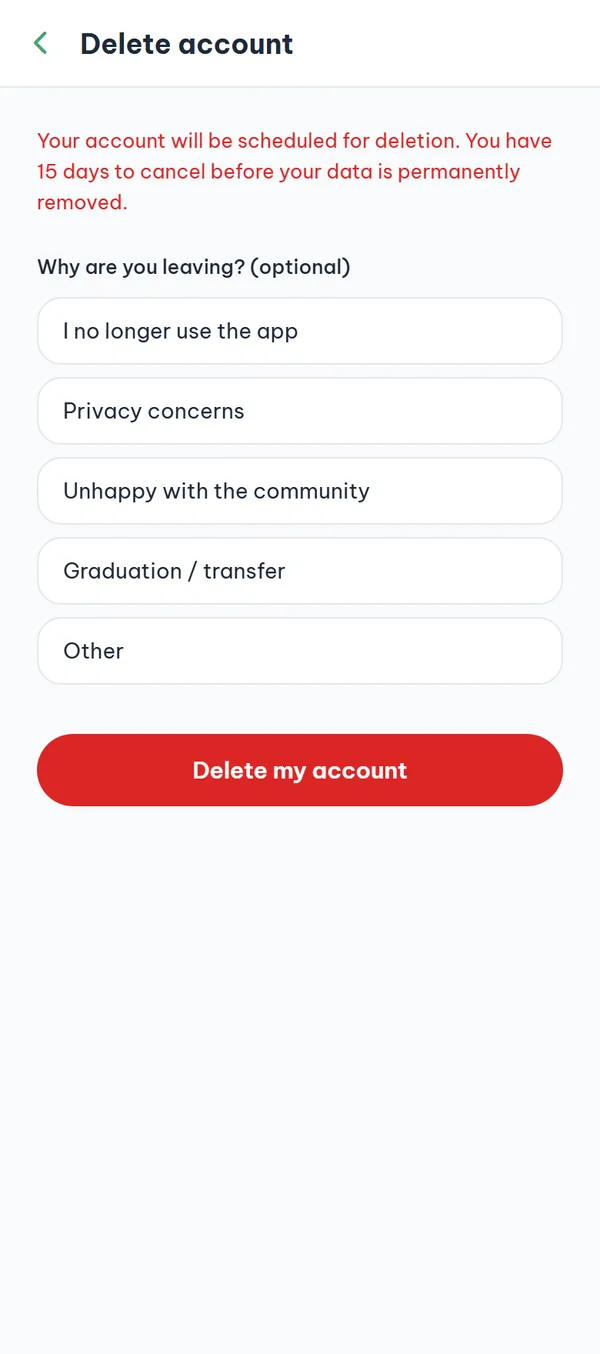
In a post's ⋮ menu, "Block user" takes effect immediately with no confirmation dialog, and the screen returns to the post list. From then on their posts show "Post from a blocked user" and their comments "Comment from a blocked user" instead of the content. To undo it, go to "My page" → "Blocked users".
- No confirmation step One tap blocks, so be sure before you press it.
- They aren't told A blocked person gets no notification and can still see your posts; blocking works one way.
- The list is anonymous Each row reads "Blocked user" with the time you blocked them, with no nickname shown.
- Unblock Tap "Unblock" on the right; the row disappears and their posts show up again.
5Nickname
Change your nickname once every 30 days
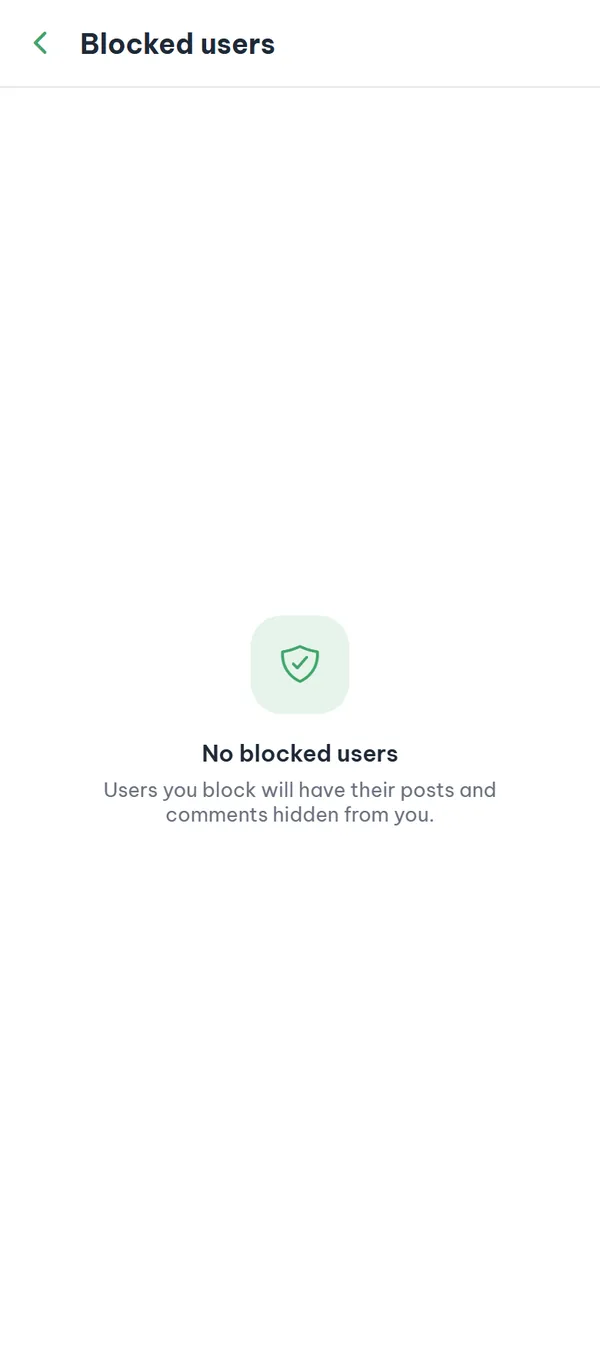
Tap "Edit nickname" just below the profile card to open "Change nickname". The field starts empty with the hint "New nickname"; type a new one and tap "Save". On success the screen closes itself and the new nickname shows on your profile card.
- The rules 2–20 characters, no spaces, and at least one letter or digit.
- The cooldown If 30 days haven't passed since your last change, a red line above the save button reads "You can change your nickname once every 30 days."
- Prohibited terms If a nickname contains a banned word, the app refuses it when you tap "Save".
6Gender
Set your gender for meetups
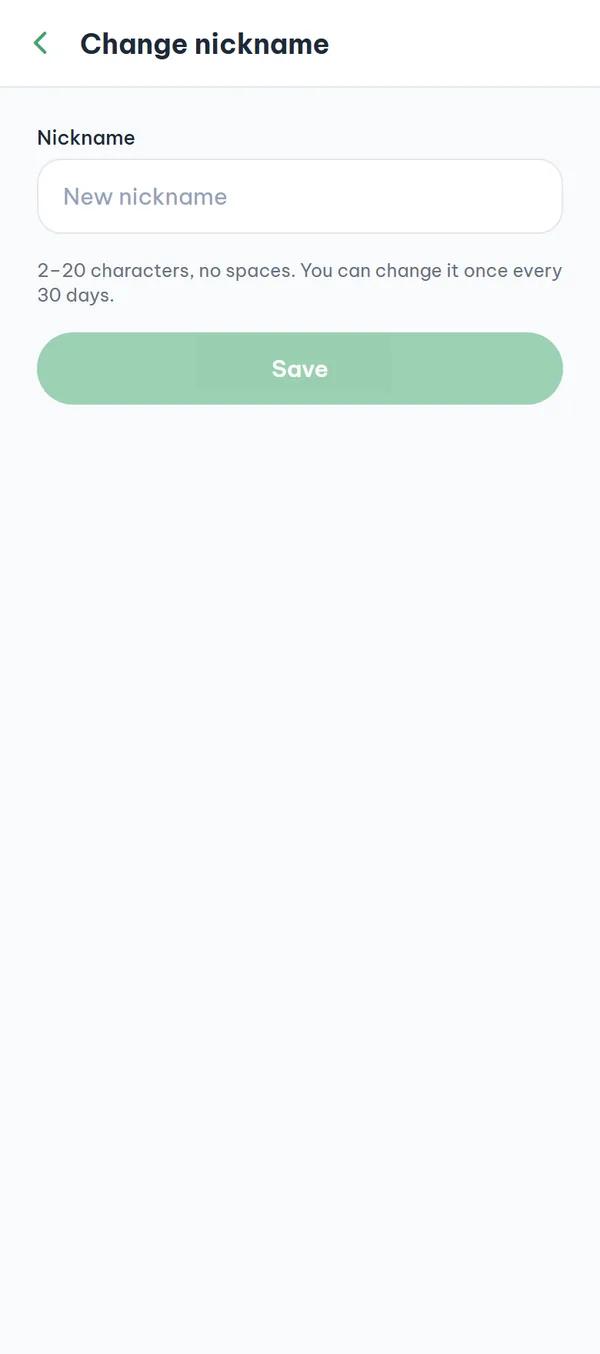
In "My page", the "Gender" row always shows the current setting on the right — "Not disclosed" by default if you've never set it. Tap the row, choose "Male", "Female", or "Not disclosed", then tap "Save" to go back.
- Three options The option in effect carries a check mark.
- Used for meetups only Your gender is self-reported and shown only within meetups you join.
- Reversible anytime You can switch back to "Not disclosed" whenever you want.
7Delete account
Delete your account inside the app
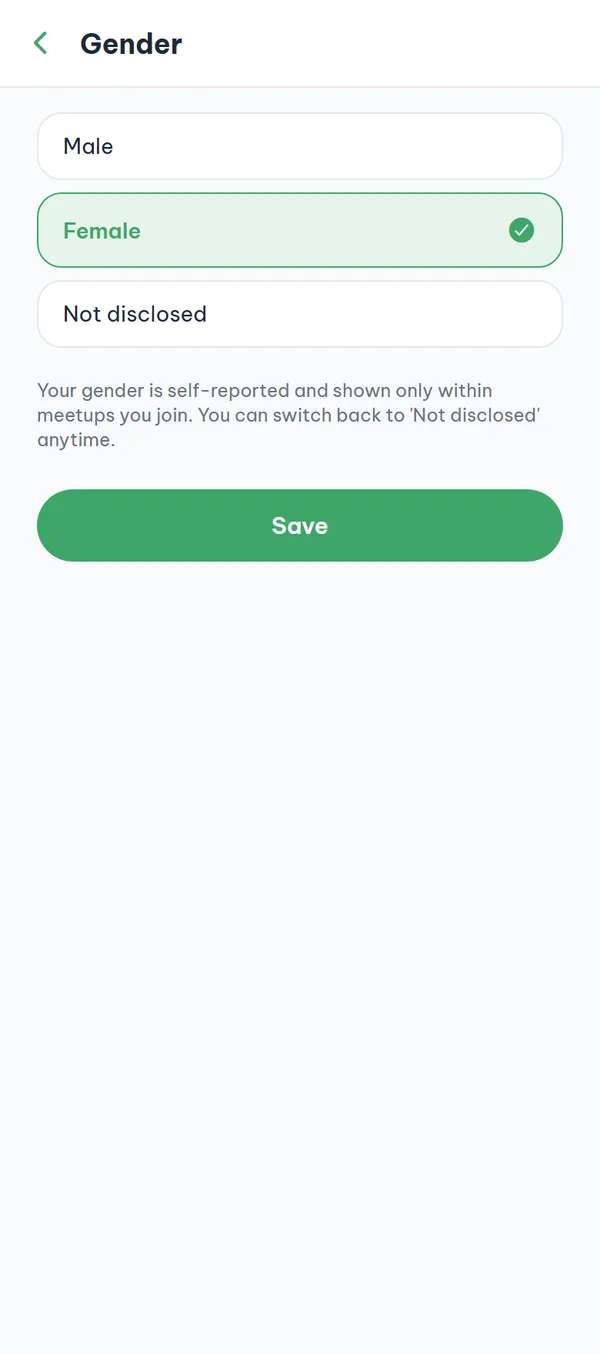
Tap the red "Delete account" at the end of the "My page" list. The screen opens with a red 15-day warning, an optional reason for leaving, and a red "Delete my account" button. Pressing it brings one last dialog with "Keep my account" and "Delete my account" — only the second one goes through.
- 15 days to cancel The account is scheduled for deletion; data is removed permanently only after 15 days.
- Signed out everywhere On confirmation every device is signed out and the student ID photo you submitted is destroyed right away, without waiting 15 days.
- The reason is optional You can pick a reason or leave it blank and still continue.
- Posts stay After 15 days your email, phone, timetable, and block list are erased, while the text of your posts and comments stays on the board.
The undo button is not in "My page". Within the 15 days, go to the log-in screen and sign in with your old email and password — a "Deletion scheduled" card appears with a "Cancel deletion" button. Signing in with Apple (iPhone only) does not show that card. After pressing it, sign in again on the same screen — cancelling alone does not log you in.
Before you report or block
A few fixed rules in the app. Knowing them up front saves you from thinking something is broken.
- School verification requiredOnly school-verified accounts can report and block; in "Trial mode" both actions are refused.
- Anonymous on screen, still loggedOn the board you appear as "Anonymous", never under your real name. But your account stays tied to your school verification and every report is logged, so the team can act on it.
- 20 reports a dayYou can send up to 20 reports a day. The same item can be reported only once, and your own content can't be reported.
- Undo only from My pageOnce blocked, you undo it only in "My page" → "Blocked users", and that list shows no nicknames.
Frequently asked questions
I submitted a report but nothing appeared. Did it go through?
If the sheet closed, the report went through — there is no "sent" message. On failure a red notice appears at the top, and for posts the sheet simply stays open.
I pick a reason and tap "Submit report", but nothing happens.
Reporting needs a school-verified account that has accepted the community rules. If you've never written a post or comment, you haven't accepted them yet, and the report fails without any message. Write one comment first, accept the rules sheet that appears, then report again.
Can I report a comment or a chat message?
Not yet. Comments carry only like and reply buttons, and the chat screen has no ⋮ menu. The way around it is to open one of that person's posts and choose "Block user", or report the post itself.
Does the person know I blocked them?
No. They get no notification and can still see your posts. Blocking is one-directional: only you stop seeing their posts and comments.
How do I tell who is who in "Blocked users"?
You can't — the list stays anonymous, showing only "Blocked user" and the time you blocked them. If you blocked someone by mistake, use the timestamp to guess, tap "Unblock", and check the board again.
Do my posts disappear when I delete my account?
No. After 15 days your email, phone, social links, timetable, saved items, and block list are erased, but the text of your posts and comments remains on the board. Delete any post you want gone before you leave.
Ready to get started?
YourCampus is free for students. Download the app and verify your school to unlock everything.